
How to Install Strong 8K IPTV on Firestick, Android TV & Smart TVs (2026)
Learn how to install Strong 8K IPTV on Firestick, Android TV, Smart TVs, Windows, macOS, iPhone, and other compatible devices. This complete step-by-step guide will help you start streaming in just a few minutes, even if you’re installing IPTV for the first time.
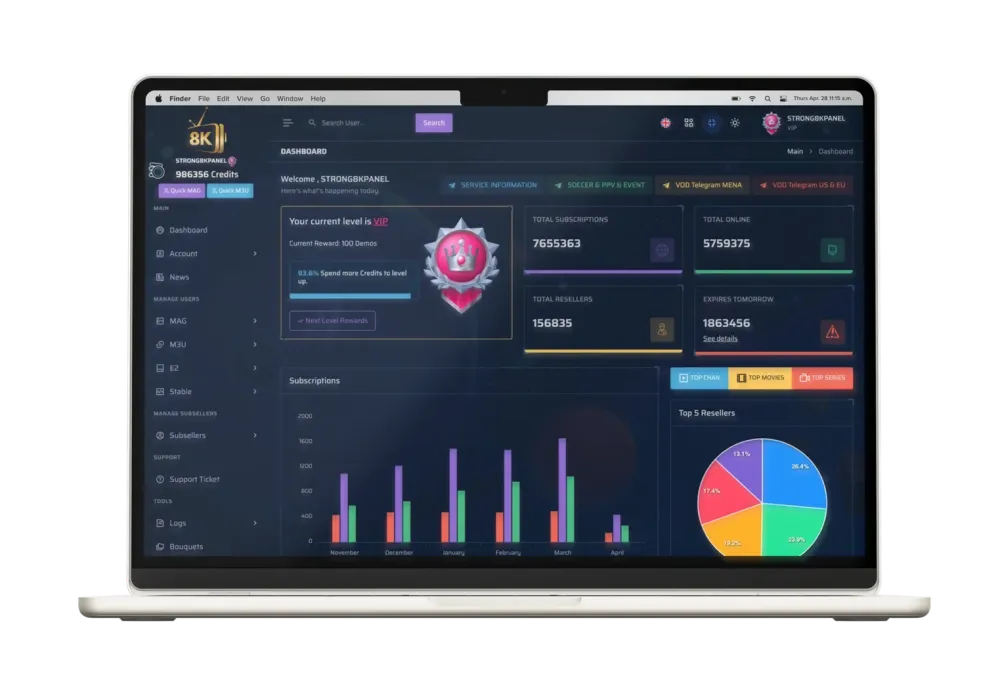
Installing Strong 8K IPTV is much easier than many people think. Once you have an active IPTV subscription and your login credentials, you can configure the service on most popular streaming devices in only a few minutes. Whether you’re using a Fire TV Stick, Android TV, Samsung or LG Smart TV, Windows PC, macOS, iPhone, or Android smartphone, the installation process follows a few simple steps.
The exact setup method depends on your device and the IPTV player you choose. Applications such as IPTV Smarters, XCIPTV, TiviMate, Smart IPTV, SmartOne IPTV, and IBO Player Pro allow you to connect using Xtream Codes API or an M3U playlist, giving you quick access to live TV channels, movies, TV series, and sports content.
If you’re completely new to the platform, we recommend reading our What Is Strong 8K IPTV? Complete Beginner’s Guide before following the installation instructions below. It explains how the platform works, its main features, and supported devices.
Looking to build your own IPTV business? Explore our Strong IPTV Reseller Panel to learn how you can activate subscriptions, manage customers, and grow a professional IPTV reseller business with Strong 8K.
Install Strong 8K IPTV on Your Favorite Device
Select your device below to jump directly to the installation guide. Every tutorial includes step-by-step instructions for setting up Strong 8K IPTV using the most popular IPTV applications.






What You Need Before Installing Strong 8K IPTV
Before setting up Strong 8K IPTV on any device, make sure you have everything required for a smooth installation. Having these items ready will help you complete the setup in just a few minutes without interruptions.
Active IPTV Subscription
Make sure your Strong 8K IPTV subscription is active and that you have received your login credentials from your provider.
Stable Internet Connection
A fast and stable internet connection is recommended for smooth HD, Full HD, 4K, and 8K streaming without buffering.
Compatible Device
Prepare your Firestick, Android TV, Smart TV, smartphone, computer, or any supported streaming device before starting the installation.
IPTV Player App
Install an IPTV player such as IPTV Smarters, TiviMate, XCIPTV, Smart IPTV, or another compatible application depending on your device.
How to Install Strong 8K IPTV on Fire TV Stick
Fire TV Stick is one of the most popular devices for IPTV streaming thanks to its speed, affordability, and compatibility with leading IPTV player applications. Follow the steps below to install Strong 8K IPTV in just a few minutes.
Install an IPTV Player
Open the Amazon App Store or Downloader and install your preferred IPTV player such as IPTV Smarters, TiviMate, XCIPTV, or another compatible application.
Enter Your IPTV Credentials
Launch the IPTV application and enter the Xtream Codes API or M3U Playlist information provided with your Strong 8K IPTV subscription.
Start Streaming
Once your playlist has loaded successfully, browse live TV channels, movies, TV series, and sports to enjoy the complete Strong 8K IPTV experience on your Fire TV Stick.
Pro Tip: For the best performance, use a wired Ethernet adapter or a stable 5 GHz Wi-Fi connection when streaming HD or 4K content.
How to Install Strong 8K IPTV on Android TV & Google TV
Android TV and Google TV offer one of the easiest ways to enjoy Strong 8K IPTV. Since both platforms support popular IPTV player applications directly from the Google Play Store, installation usually takes less than five minutes.
Download an IPTV Player
Open the Google Play Store and install an IPTV application such as IPTV Smarters, TiviMate, XCIPTV, or another player that supports Xtream Codes API and M3U playlists.
Enter Your Login Details
Open the IPTV player and enter your Strong 8K IPTV Xtream Codes credentials or your M3U playlist URL exactly as provided with your subscription.
Refresh and Start Watching
After the playlist loads successfully, browse thousands of live TV channels, movies, TV series, and sports available through your Strong 8K IPTV subscription.
Pro Tip: Keep your IPTV player updated through the Google Play Store to benefit from the latest performance improvements and compatibility updates.
How to Install Strong 8K IPTV on Samsung & LG Smart TVs
Samsung and LG Smart TVs support several IPTV player applications, making it easy to enjoy Strong 8K IPTV without using an external streaming device. Simply install a compatible IPTV player, enter your subscription details, and start watching.
Install a Compatible IPTV Player
Open the Samsung Smart Hub or LG Content Store and install an IPTV player such as Smart IPTV, SmartOne IPTV, IBO Player Pro, or another compatible application available for your TV.
Add Your IPTV Subscription
Open the IPTV player and enter your Xtream Codes API credentials or upload your M3U playlist according to the application’s setup instructions.
Refresh the Playlist and Enjoy
Once your playlist has loaded successfully, you’ll have instant access to live TV channels, movies, TV series, and sports directly from your Smart TV.
Pro Tip: If your Smart TV supports a wired Ethernet connection, using it instead of Wi-Fi can provide a more stable IPTV streaming experience, especially for 4K content.
How to Install Strong 8K IPTV on Windows & macOS
Strong 8K IPTV works perfectly on both Windows PCs and macOS computers using popular IPTV player applications. The setup process is straightforward and gives you access to live TV, movies, TV series, and sports directly from your desktop or laptop.
Download an IPTV Player
Install IPTV Smarters, XCIPTV, or another compatible IPTV player for Windows or macOS from its official website or application store.
Add Your IPTV Account
Launch the IPTV application and enter your Xtream Codes API credentials or M3U playlist URL exactly as provided with your Strong 8K IPTV subscription.
Enjoy Streaming on Your Computer
After the playlist finishes loading, you’ll have instant access to live TV channels, movies, TV series, catch-up content, and international sports directly from your computer.
Pro Tip: Connect your Windows PC or Mac to your TV using an HDMI cable for a larger viewing experience while keeping the flexibility of a desktop IPTV player.
How to Install Strong 8K IPTV on Apple TV, iPhone & iPad
Apple devices provide a smooth IPTV experience through compatible applications available on the App Store. Whether you’re using an Apple TV, iPhone, or iPad, you can set up Strong 8K IPTV in just a few simple steps and start enjoying live TV, movies, TV series, and sports.
Download an IPTV Application
Open the Apple App Store and install a compatible IPTV player that supports Xtream Codes API or M3U playlists.
Add Your IPTV Subscription
Launch the application and enter your Strong 8K IPTV Xtream Codes credentials or M3U playlist information exactly as provided by your IPTV provider.
Start Watching
After the playlist loads successfully, you’ll be able to stream live TV channels, movies, TV series, and sports on all your Apple devices with a smooth viewing experience.
Pro Tip: Keeping your IPTV application updated through the App Store ensures the best compatibility, improved security, and optimal streaming performance.
Best IPTV Apps for Strong 8K IPTV
Strong 8K IPTV is compatible with many IPTV player applications. While all of them allow you to stream live TV, movies, TV series, and sports, each app offers different features and user experiences. Below are some of the most popular IPTV players supported by Strong 8K IPTV.
IPTV Smarters
One of the most popular IPTV applications with an intuitive interface, multi-screen support, parental controls, and Xtream Codes API compatibility.
TiviMate
A premium IPTV player designed mainly for Android TV and Fire TV devices, offering an excellent TV-like viewing experience.
XCIPTV
A lightweight IPTV application that supports Xtream Codes API, Electronic Program Guide (EPG), catch-up TV, and VOD content.
Smart IPTV
One of the most widely used IPTV applications for Samsung and LG Smart TVs, offering quick playlist activation and reliable playback.

SmartOne IPTV
A modern Smart TV IPTV player with an elegant interface, playlist management, and support for multiple IPTV formats.
IBO Player Pro
A premium IPTV application for Smart TVs that provides fast playlist loading, stable playback, and a user-friendly interface.
Recommendation: IPTV Smarters is an excellent choice for beginners, while TiviMate is ideal for users looking for a premium television-like experience on Android TV and Fire TV devices.
Strong 8K IPTV Installation Problems & Solutions
If Strong 8K IPTV doesn’t work immediately after installation, don’t worry. Most setup problems can be solved within a few minutes by checking your login details, internet connection, or IPTV application settings.
Login Failed
Double-check your Xtream Codes username, password, and server URL. Even a small typing mistake can prevent the IPTV player from connecting successfully.
Buffering or Freezing
Restart your router, use a faster internet connection, or connect through Ethernet whenever possible. Closing background applications may also improve playback performance.
Playlist Doesn’t Load
Refresh the playlist, restart the IPTV application, or remove and re-add your account using the original Xtream Codes or M3U details provided with your subscription.
Need more help? If you’re still experiencing installation issues, visit our Strong IPTV Reseller Panel to contact our team and receive professional assistance.
Frequently Asked Questions About Strong 8K IPTV Installation
Below are the most common questions users ask before or after installing Strong 8K IPTV. These answers will help you complete the setup process and solve the most frequent installation issues.
How long does it take to install Strong 8K IPTV?
Most users complete the installation in less than five minutes. The exact time depends on your device, internet connection, and the IPTV player application you choose.
Which IPTV player works best with Strong 8K IPTV?
IPTV Smarters, TiviMate, XCIPTV, Smart IPTV, SmartOne IPTV, and IBO Player Pro are all fully compatible with Strong 8K IPTV. The best choice depends on the device you’re using.
Can I install Strong 8K IPTV on multiple devices?
Yes. Strong 8K IPTV supports many different devices including Fire TV Stick, Android TV, Smart TVs, Windows, macOS, iPhone, iPad, and Android smartphones. The number of simultaneous connections depends on your subscription.
Do I need an M3U playlist or Xtream Codes API?
Most IPTV applications support both options. Xtream Codes API is generally easier to configure, while M3U playlists remain compatible with many IPTV players.
Why is Strong 8K IPTV buffering after installation?
Buffering is often related to internet speed, Wi-Fi signal quality, or outdated IPTV applications. Restarting your device and using a stable internet connection usually improves streaming performance.
Can I use Strong 8K IPTV on Samsung and LG Smart TVs?
Yes. Samsung and LG Smart TVs support several IPTV player applications including Smart IPTV, SmartOne IPTV, and IBO Player Pro, making installation quick and straightforward.
Is Strong 8K IPTV compatible with Amazon Fire TV Stick?
Absolutely. Fire TV Stick is one of the most popular devices for Strong 8K IPTV and works perfectly with IPTV Smarters, TiviMate, XCIPTV, and other compatible IPTV applications.
Can I update my IPTV player without losing my playlist?
In most cases, updating your IPTV application keeps your existing settings and playlists. However, it’s always recommended to keep a copy of your Xtream Codes credentials or M3U playlist before performing major updates.
Get Your Strong 8K IPTV Subscription Today
Whether you’re installing Strong 8K IPTV on Firestick, Android TV, Smart TVs, Windows, macOS, or mobile devices, our team is ready to help you get started. Contact us today for instant activation, installation assistance, and premium IPTV plans.
Conclusion
Installing Strong 8K IPTV is a straightforward process once you have your subscription details and a compatible IPTV player. Whether you use Firestick, Android TV, Samsung or LG Smart TVs, Windows, macOS, or mobile devices, the setup only takes a few minutes when you follow the correct steps.
Choosing a reliable IPTV player, entering your Xtream Codes API or M3U playlist correctly, and maintaining a stable internet connection will help you enjoy smooth streaming with minimal interruptions. Most installation issues can be solved quickly by checking your login credentials, updating your IPTV application, or restarting your device.
If you need assistance, our team is available to help you choose the right subscription, activate your account, and guide you through the installation process on any supported device.